We’ve made it easier to manage the orders you send to the clients you serve. You can now choose the hours when sms and email notifications are sent, and we’ve made order details easier to get right and easier to review.
Set the hours for text and email notifications
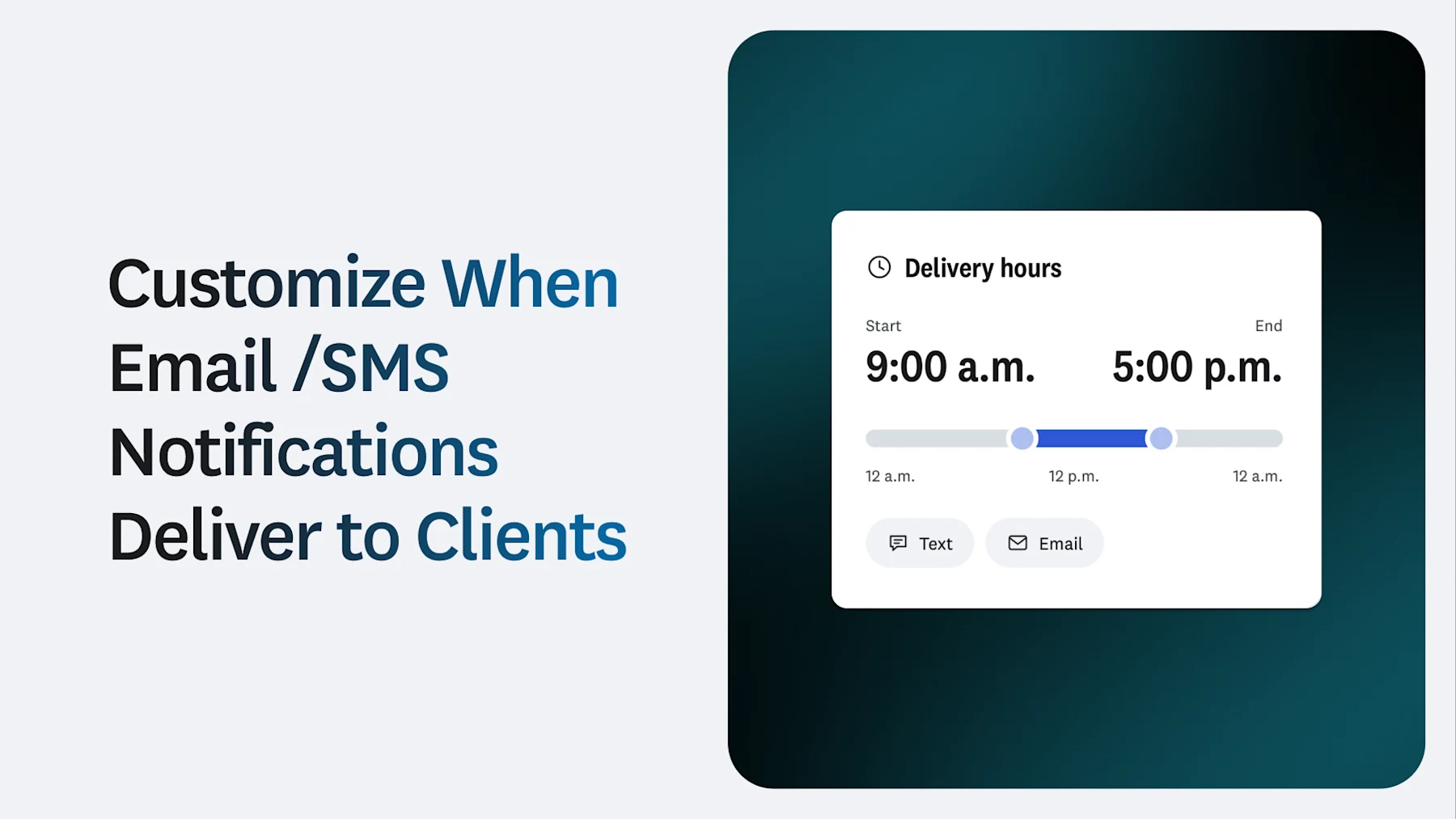
You can now choose a start time and an end time for when notifications are sent to your clients. We only send messages during those hours.
That means your clients hear from you at times that fit your agency, such as during business hours, and not late at night or early in the morning. You can set hours for text messages, emails or both. The setting covers your whole agency account, so everyone on your team follows the same schedule.
What’s in it for your agency
- Messages go out when they fit your agency. You decide the hours, so notifications reach your clients at times that work for you.
- You stay in control. The timing of your outreach is up to you, not a default setting.
- One setting covers your whole agency. It applies at the account level, so every order follows the same hours. Your team doesn’t have to adjust anything order by order.
- You can choose the channels. Set hours for text messages, emails or both, depending on how you reach your clients.
How it works
- You choose a start time and an end time for delivery.
- We send notifications to your clients only during those hours.
- The setting applies to your whole agency account.
How to turn it on
If your team has set hours, or you want your outreach to match them, this setting helps you do that. Contact your account representative (your CSM or TAM) to set this up for you.